3.0 preview Techno · IDM · Classic · Retro Stable 2.2.4
OpenTracker

Community firmware for the original Polyend Tracker

OpenTracker

New brains for your tracker. Pick one, flash it, make noise.

  • Techno
  • IDM
  • Acid
  • Analog-style
  • FM
  • Drum synths
  • Dub echo
  • Tape
  • Chip

Pick your sound

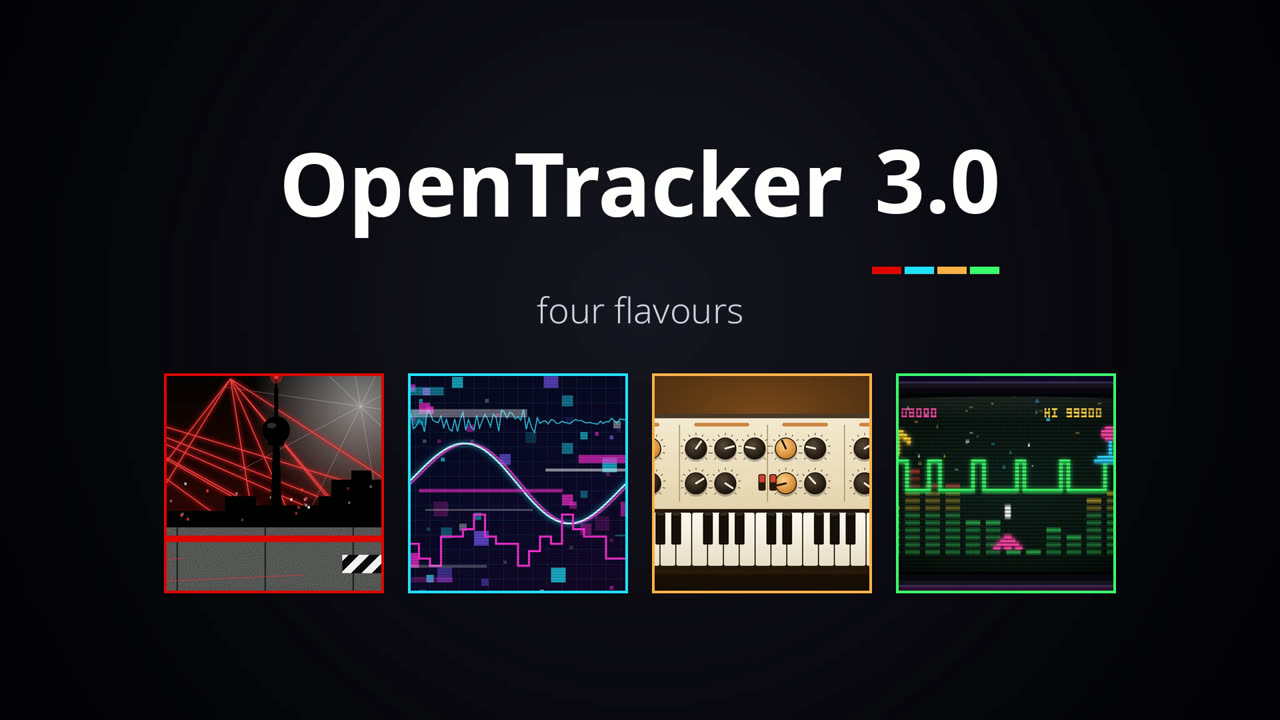
OpenTracker 3 comes in four flavours: the same firmware with a different set of synths and effects. Only one image is installed at a time; switch whenever you like, your projects stay on the card.

Want it rock solid?

The 3.0 images above are a preview for testing. The 2.x line is the stable release.

Stable 2.x line

OpenTracker 2.2.4

One image with all of the 2.x line: 16 tracks, five synth engines (ACD, FAT, VAP, WTFM, PERC), stereo samples, Mini-format projects, USB Storage mode, live resampling, streaming from the card and colour themes. Use this one for real work.

Source on GitHub: fork it and contribute

Hear the four flavours

One song per flavour, made only with that image's synths and effects.

What's inside each image

Screens from the OpenTracker simulator, running the same code as the firmware.

Inside Techno

Built for the warehouse.

Get PolyendTrackerOTt300.ptf

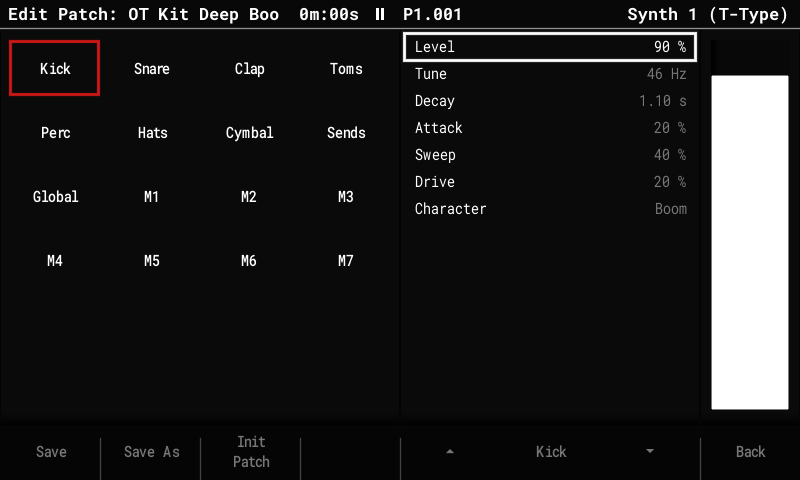
T-Type drums

One patch is a whole kit: kick, snare, clap, three toms, rim, cowbell, hats, crash and ride, each drum with three Characters.

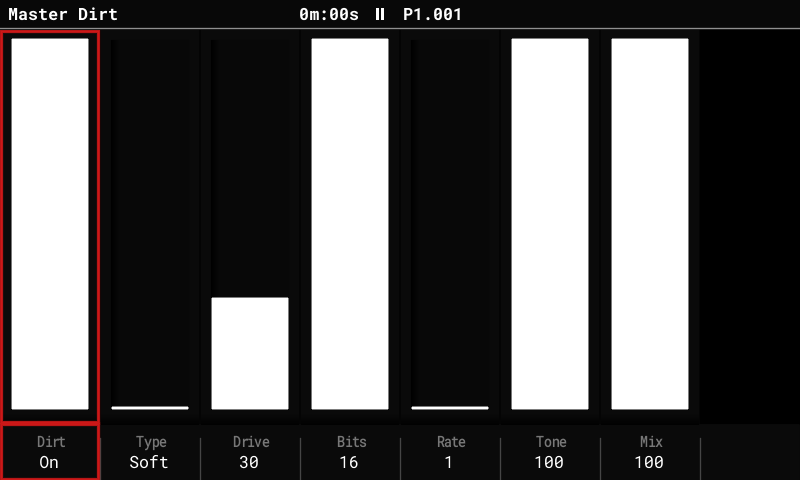
Dirt

Drive and bitcrush on the whole mix: four shapers, bits, sample rate, tone.

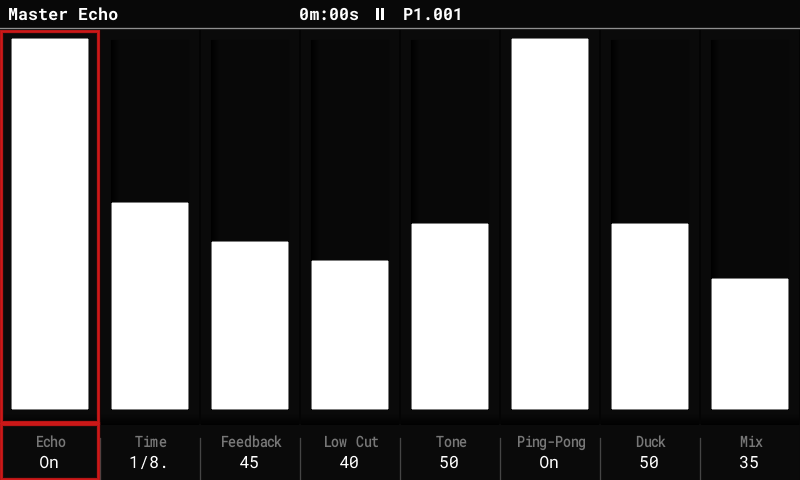
Echo

A dub echo locked to the song tempo, with ping-pong and duck.

Acid and stabs

ACD, FAT, JU6 and D-Type for basses, leads and chords.

T-Type: Edit Patch on the kick of OT Kit Deep Boom
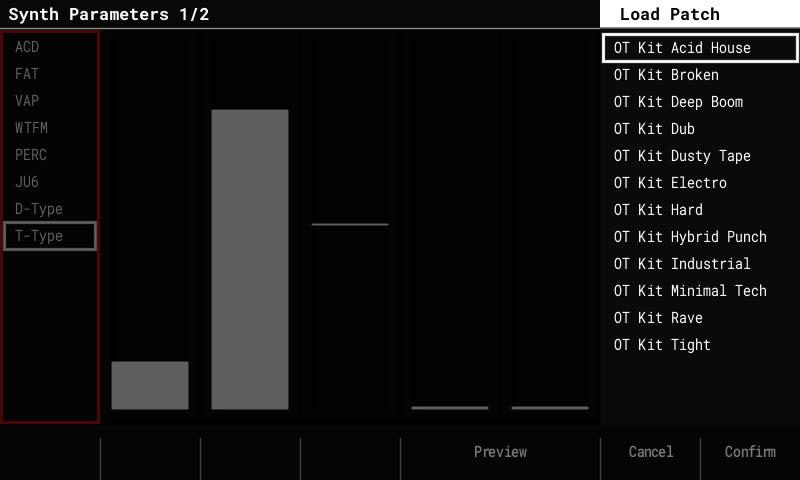
Twelve T-Type kits in Load Patch
Dirt on the whole mix (Shift + Master)
Echo, synced to the song tempo

Inside IDM

Built for the bedroom lab.

Get PolyendTrackerOTi300.ptf

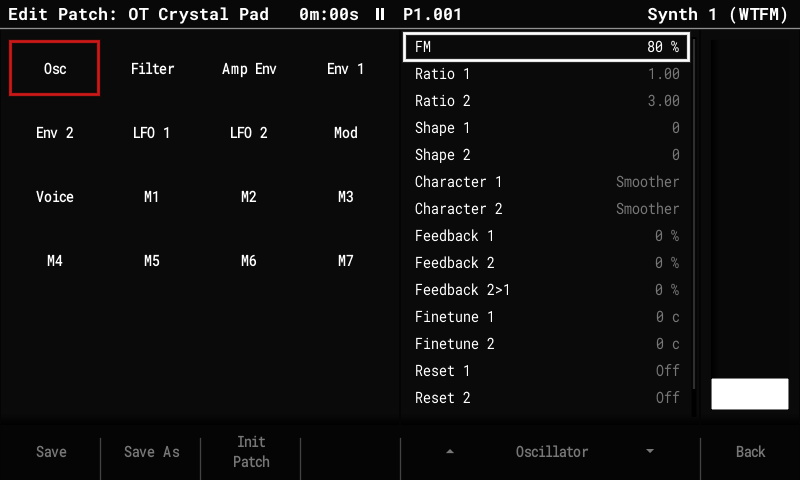
WTFM

Two-operator wavetable FM with three feedback paths: e-pianos, bells, mallets.

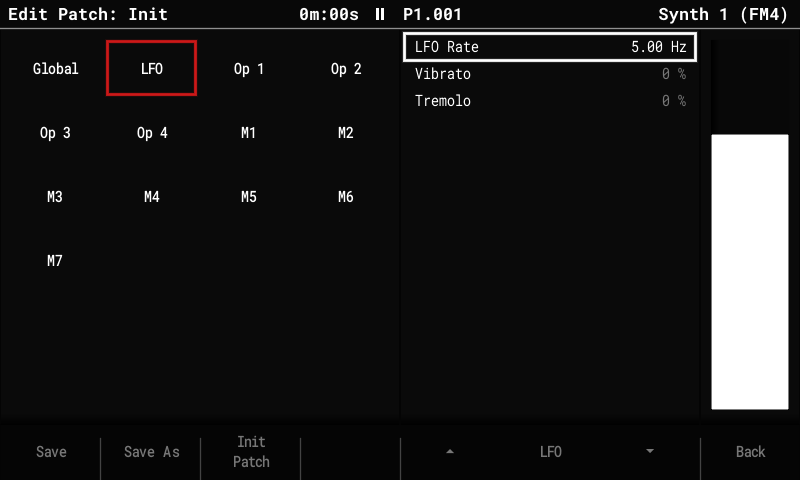
FM4

Four operators, 8 algorithms, an envelope per operator.

PERC

A drum machine with one drum per note and tunable toms.

Chorus and Tape

A stereo chorus and a tape stage on the whole mix.

WTFM: the two operators of OT Crystal Pad
FM4: Edit Patch, with the four operators, LFO and Global sections
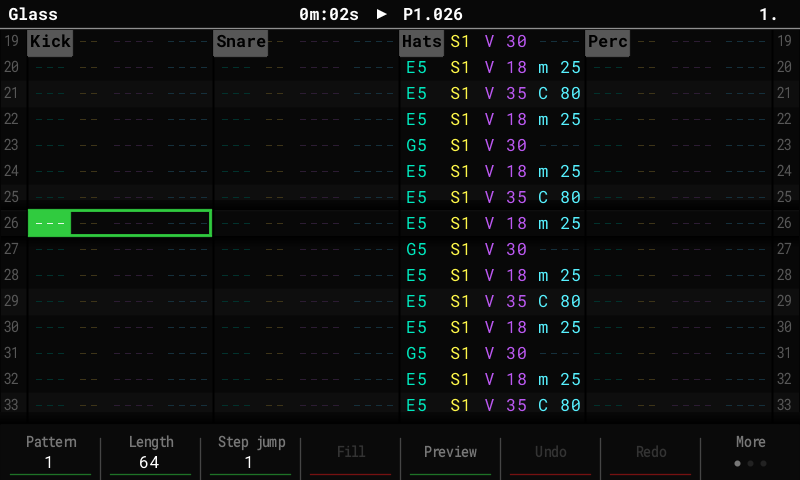
The pattern editor playing an IDM test song

Inside Classic

Built for the studio wall of knobs.

Get PolyendTrackerOTa300.ptf

CS-Type

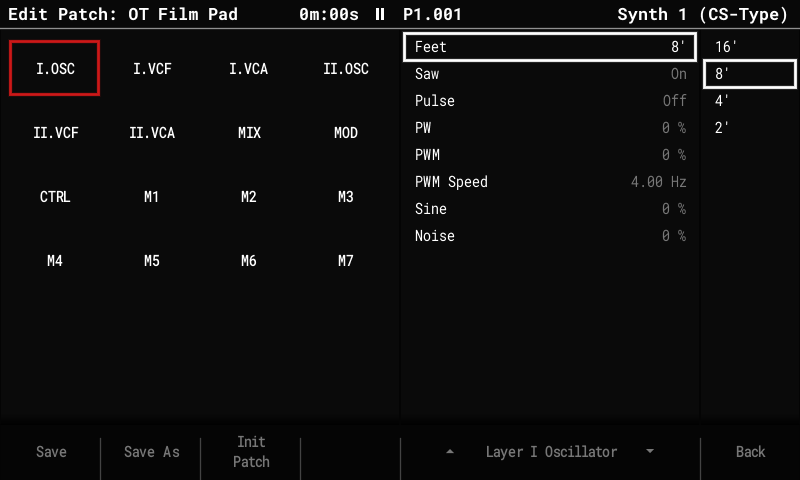
Two layers per note, each with its own filters and envelopes; Touch and Ribbon on the macros.

A-Type

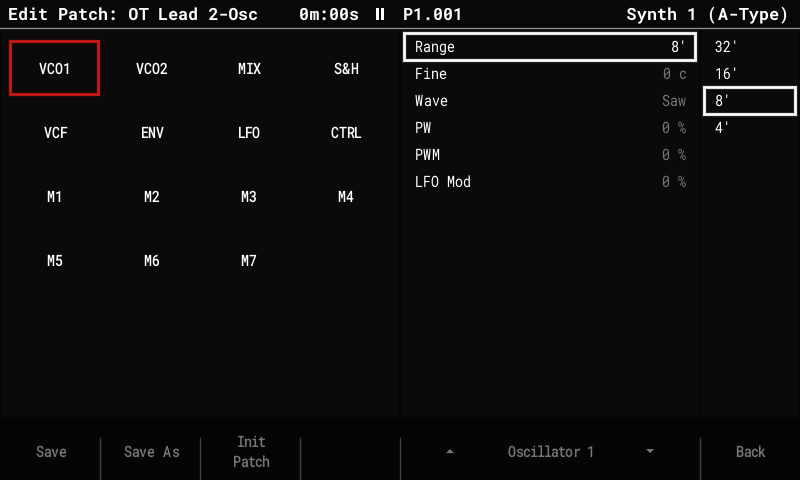
Duophonic: two oscillators, hard sync, ring mod, sample & hold.

D-Type

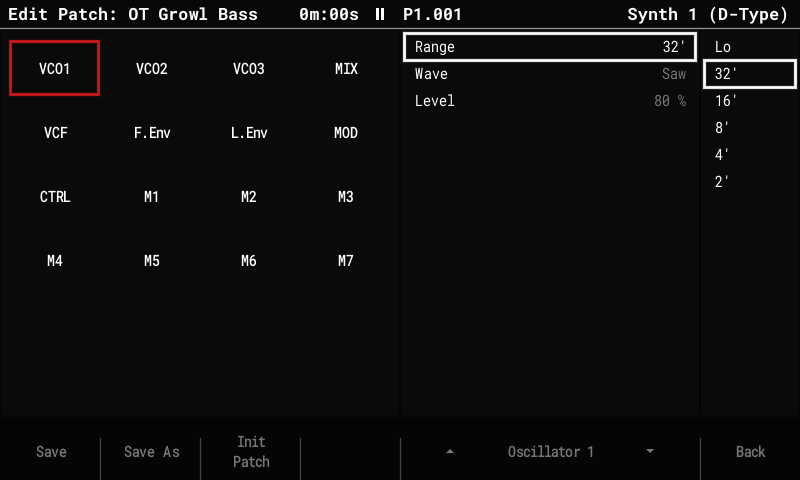
Three oscillators into a filter that whistles on its own.

JU6

A poly with a built-in stereo chorus, saved in every patch.

CS-Type: layer I oscillator of OT Film Pad
A-Type: oscillator 1 of OT Lead 2-Osc
D-Type: oscillator 1 of OT Growl Bass

Inside Retro

Built for the arcade.

Get PolyendTrackerOTr300.ptf

8-Type

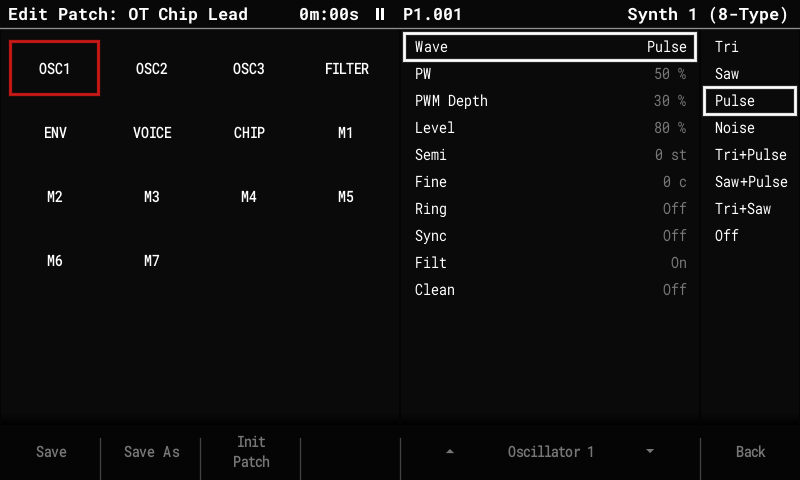
Three oscillators with ring, sync and the combined waves into a 12 dB multimode filter: leads, basses, chords.

Hand-Type

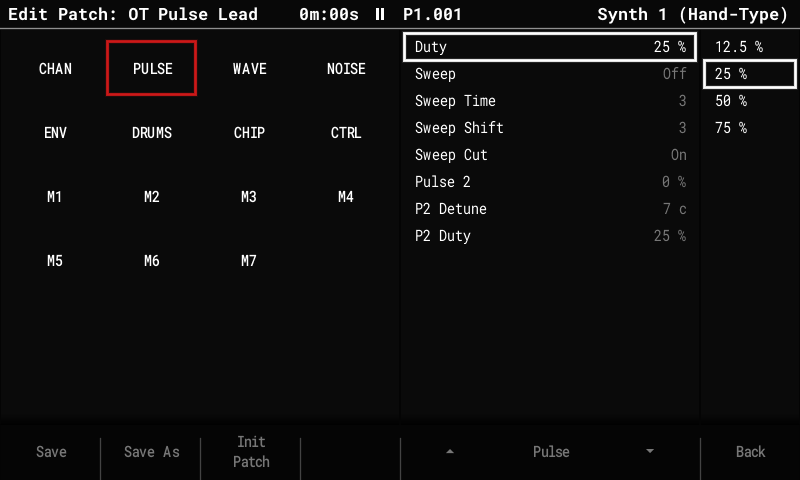
Pulse with sweep, a 4-bit wave or noise, one channel per patch, or a whole drum kit by note.

B-Type and Arc-Type

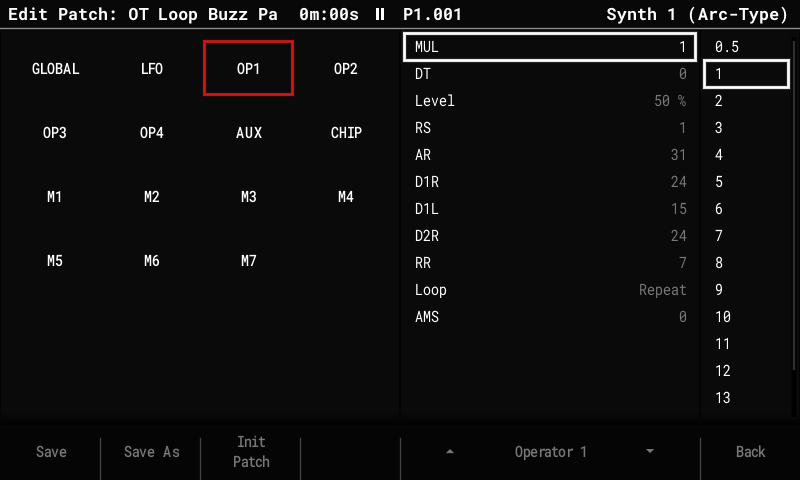
Buzz tones from polynomial counters, and four-operator FM with looping envelopes.

LoFi

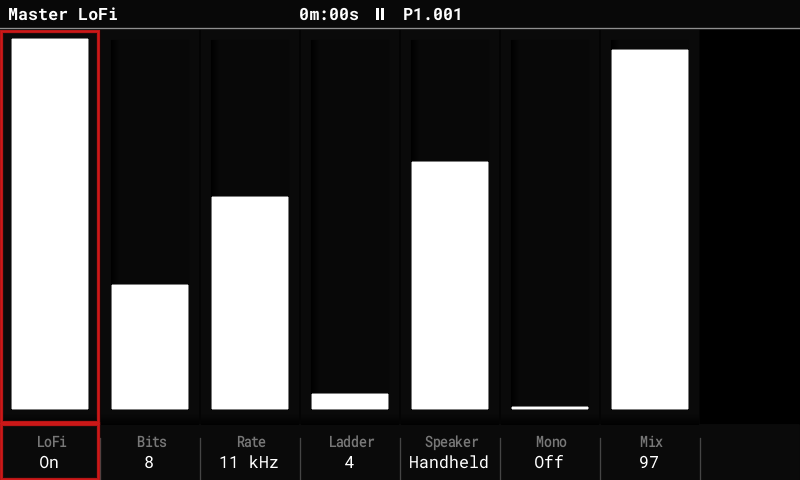
The mix through a small chip's output: bits, sample rate, uneven DAC steps and a speaker.

8-Type: oscillator 1 of OT Chip Lead
Arc-Type: operator 1 of OT Loop Buzz Pad, with a looping envelope
Hand-Type: the pulse channel of OT Pulse Lead
LoFi on the whole mix (Shift + Master)

Try it in your browser

Coming later

We plan to build the simulator for the web, so you can play with each image in your browser before you flash it.

Install from the SD card

Update

  1. Back up your SD card, or use a spare one.
  2. Copy the .ptf file to /Firmware on the card. Keep the file name exactly as it is: the updater only takes names of 24 characters.
  3. Copy the Patches folder from the patch zip to the root of the card, and merge it with what is there.
  4. Put the card in the Tracker and go to Config > Firmware update. Select the image and confirm.
  5. If the screen stays dark after the update, press the power button once.

Recovery and going back

  • Going back: keep the stock 1.9.2 image in /Firmware and install it the same way, from the update menu.
  • From a running OpenTracker: write the file name of the image you want into /Firmware/ot_restore.txt and power-cycle. OpenTracker hands over to the updater and installs it.
  • If the Tracker does not start: use the rear reset (recovery) button. It installs a .ptf from /Firmware, so keep only the image you want, plus stock, in that folder.
  • Your projects, samples and patches stay on the card whichever image you install.

Getting started

  1. Download your image

    Techno, IDM, Classic or Retro for the 3.0 preview, or 2.2.4 for real work.

    Choose an image
  2. Copy it to the SD card and update

    /Firmware, keep the name, then Config > Firmware update.

    How to install
  3. Get the patches, read the manual

    Our own patches for every synth, and the 2.x manual.

    Patches and manual

Not affiliated with Polyend. OpenTracker is made by its community. It is not endorsed or supported by Polyend. The Polyend Tracker is the hardware it runs on.